
视频内容
视频内容
此章节将演示如何请求在原生环境下请求与展示视频内容
SDK 为接入方提供一个视频流频道,支持上下滑动切换
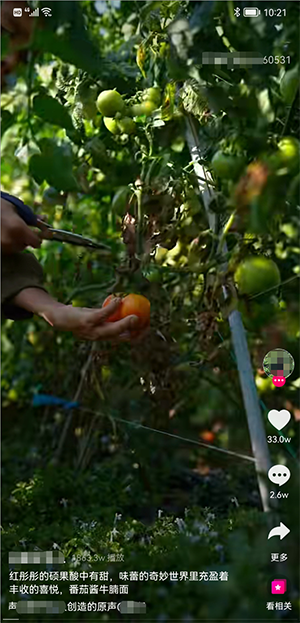
加载视频内容
前提条件
- 工程需要引入
legacy-support-v4 - 调用的 Activity 需要继承
FragmentActivity
提示
视频内容广告接入的注意事项见常见问题-视频内容
请求视频内容
调用ContentAd#loadAd的重载方法请求广告,并在ContentAdLoadListener中获取广告对象与处理错误信息
public class ContentAd {

    /**
     * 加载广告
     */
    public static void loadAd(String posId, ContentAdLoadListener loadListener);

    /**
     * 加载广告
     *
     * @param posId        广告位ID
     * @param type         视频类型样式{@link com.adbox.absdk.api.v2.contentad.ContentAdType}
     * @param loadListener 加载回调
     */
    public static void loadAd(String posId, int type, ContentAdLoadListener loadListener);

}
加载回调说明
| 方法 | 说明 |
|---|---|
| onError(int code, String msg) | 广告加载出错 code: 错误码 msg: 错误信息 |
| onAdLoaded(ContentAd contentAd) | 广告加载成功 contentAd: 广告加载对象 |
视频类型样式说明
视频内容在加载时,支持通过type参数配置请求的页面样式,支持的样式包括:
| type | value | 样式 |
|---|---|---|
| ContentAdType.DEFAULT | 0 | 标准样式,如上图所示 |
| ContentAdType.FEED_VERTICAL | 1 | 竖版 Feed 流 |
| ContentAdType.FEED_HORIZONTAL | 2 | 横版 Feed 流 |
| ContentAdType.FEED_HORIZONTAL_AUTO_PLAY | 3 | 竖版 Feed 流 & 自动播放 |
展示视频内容
在加载成功回调中获取到ContentAd对象后,可以配置交互回调、页面回调、视频回调,并展示广告
展示广告分为getFragmentObject方法手动插入和showAd方法 SDK 展示两种,其中
getFragmentObject()方法获取到Fragment对象后,可以手动插入到FragmentActivity中SDK 展示方法提供了
showAd(FragmentActivity activity, @IdRes int layoutResId)和showAd(FragmentActivity activity, @IdRes int layoutResId, @Nullable FragmentManager fm)两个重载方法,SDK 会默认通过getSupportFragment()方法获取FragmentManager
ContentAd 说明
| 方法 | 说明 |
|---|---|
| setInteractionListener(ContentAdInteractionListener interactionListener) | 配置交互回调 |
| setPageListener(ContentAdPageListener pageListener) | 配置视频内容页面回调(无计数需求可忽略) |
| setVideoListener(ContentAdVideoListener videoListener) | 配置视频内容视频回调(无计时需求可忽略) |
| getFragmentObject() | 获取 Fragment 对象 获取后需要手动展示,不会有展示成功的回调,不能再调用 showAd 方法 |
| showAd(FragmentActivity activity, @IdRes int layoutResId) | 展示视频内容,不能再调用 getFragmentObject 方法 activity: 当前activity layoutResId: 容器的id |
| showAd(FragmentActivity activity, @IdRes int layoutResId, @Nullable FragmentManager fm) | 使用指定的 FragmentManager 展示视频内容,不能再调用 getFragmentObject 方法 activity: 当前activity layoutResId: 容器的id fm: 指定的 FragmentManager 对象(如 Fragment 嵌套时,需要传入 childFragmentManager) |
| hideAd() | 隐藏页面,仅调用 showAd 方法展示后有效 |
| onResume() | 从其他页面切换后需要调用 |
| onBackPressed() | 是否终止返回键点击分发 |
交互回调说明
| 方法 | 说明 |
|---|---|
| onContentAdShow() | 广告展示成功 调用getFragmentObject()方法手动展示时不会回调 |
| onContentAdShowError(int code, String msg) | 广告展示失败 code: 错误码 msg: 错误信息 |
页面回调说明
有视频播放计数的需求时可以调用setPageListener(ContentAdPageListener)方法配置页面回调
| 方法 | 说明 |
|---|---|
| onPageEnter() | 进入页面 |
| onPageResume() | 页面恢复 |
| onPagePause() | 页面暂停 |
| onPageLeave() | 离开页面 |
视频回调说明
有视频播放计时的需求时可以调用setVideoListener(ContentAdVideoListener)方法配置视频回调
| 方法 | 说明 |
|---|---|
| onVideoPlayStart() | 开始播放 |
| onVideoPlayPaused() | 播放暂停 |
| onVideoPlayResume() | 播放恢复 |
| onVideoPlayCompleted() | 播放完成 |
| onVideoPlayError(ContentAdItem item, int what, int extra) | 视频播放错误 code: 错误码 msg: 错误信息 |
视频内容接入示例
// 加载广告
ContentAd.loadAd(posId, new ContentAdLoadListener() {

    @Override
    public void onError(int code, @NonNull String msg) {
        Log.e("ContentAd", "视频内容加载出错" + code + "-" + msg);
    }

    @Override
    public void onAdLoaded(@NonNull ContentAd contentAd) {
        // 视频内容加载成功,配置交互回调
        contentAd.setInteractionListener(ContentActivity.this);
        // 视频内容展示
        contentAd.show(ContentActivity.this, R.id.container);
    }

});
ContentAd.loadAd(posId, object : ContentAdLoadListener {

    override fun onError(code: Int, msg: String) {
        Log.e("ContentAd", "视频内容加载出错$code-$msg")
    }

    override fun onAdLoaded(contentAd: ContentAd) {
        // 视频内容加载成功,配置交互回调
        contentAd.setInteractionListener(this@ContentActivity)
        // 视频内容展示
        val fragment = contentAd.fragmentObject

        supportFragmentManager.beginTransaction()
            .add(fragment, "ContentAd")
            .replace(R.id.container, fragment)
            .commit()
    }

})
提示
演示工程中提供了一个简单的视频内容浏览任务场景的模拟,见com.adbox.sdk.demo.activity.content.task.ContentTaskActivity